
API integrations are the backbone of modern ServiceNow implementations. Whether you're connecting ServiceNow to HR systems, monitoring tools, or third-party applications, APIs enable seamless data flow and automation. But there's one recurring problem that trips even experienced developers: authentication issues.
When authentication fails, API calls break. Workflows stall. Users complain. And developers spend hours troubleshooting what should have been a straightforward integration.
This blog post will discuss the most common authentication challenges ServiceNow developers face in API integrations – to build and maintain connections between the platform and external systems.1
Why Do Authentication Issues Happen in ServiceNow API Integrations?
Authentication is the gatekeeper for any API integration, ensuring that only authorized systems or users can access data or services. Without it, your integration either won't work or become a security risk.
ServiceNow developers frequently encounter authentication issues due to several key factors:
- Complex Authentication Protocols: Methods like OAuth 2.0, API keys, bearer tokens, and mutual TLS each have distinct setup requirements that can be tricky to manage.
- Frequent Credential Changes: API keys expire,passwords are rotated, and tokens need regular refreshing, often leading to outdated credentials in integrations.
- Environment Inconsistencies: What functions perfectly in a development environment might fail in production because of differing configurations or security policies.
- Poor Documentation: External APIs often provide unclear or outdated guides for their authentication processes, making proper setup a challenge.
According to industry research, nearly 83% of web and mobile applications rely on APIs to function.2 For ServiceNow developers, this heavy dependence on APIs means that even small authentication glitches can disrupt workflows, integrations, and user experience.
What Authentication Methods Do ServiceNow Developers Use in API Integrations?
ServiceNow supports various authentication methods for API integrations, but two stand out as the most common. Understanding their nuances is key to choosing the right approach for your integration.
1. API Key-Based Authentication
API keys are simple tokens passed in the request header or URL. They're easy to implement but come with risks:
- Pros: Quick setup, minimal configuration.
- Cons: Keys can be exposed in logs or code. If compromised, they grant full access until manually revoked.
When to use it: For low-risk, internal integrations or third-party services with limited scope.
ServiceNow Tip: While easy, avoid hardcoding API keys directly into script, including business rules. Always use the ServiceNow's Credentials module to store sensitive information securely.
2. OAuth 2.0 Authentication
OAuth is the industry standard for secure API authentication. It uses short-lived access tokens and refresh tokens to maintain secure connections.
- Pros: More secure, supports token expiration and renewal, allows scoped access.
- Cons: More complex to set up, requires understanding of OAuth flows (authorization code, client credentials, etc.).
When to use it: For integrations involving sensitive data, external systems, or compliance-heavy environments.
ServiceNow Tip: In ServiceNow, OAuth profiles are configured within REST Messages or Integration Hub spokes. This central management simplifies token handling and credential rotation, making it the preferred method for robust integrations.
What Are the Most Common Authentication Issues ServiceNow Developers Face?
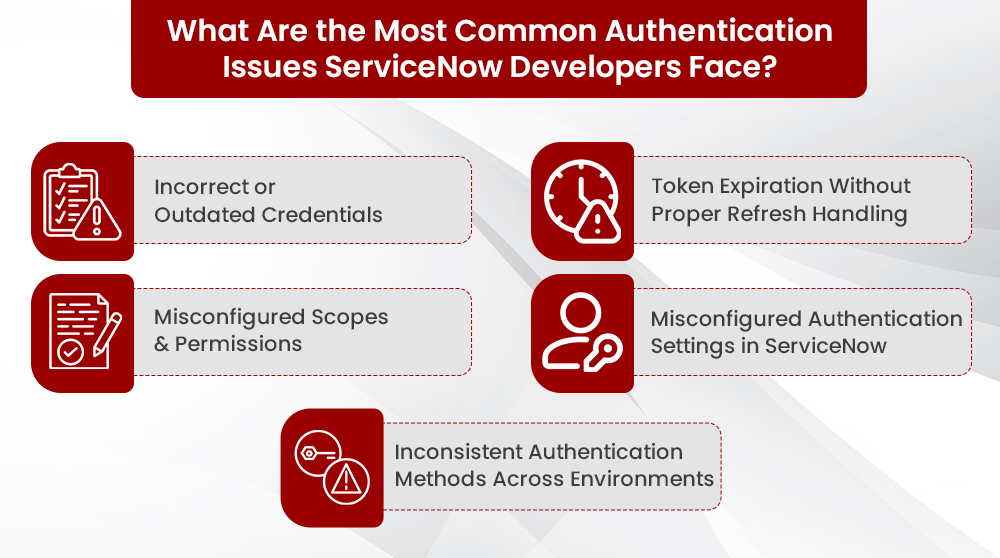
Most ServiceNow integration failures can be traced back to a few recurring authentication issues. These are the ones developers encounter most often
1. Incorrect or Outdated Credentials
This is the most common issue. Typos in API keys, client IDs, or secrets configured in ServiceNow REST Messages or Connection and Credential records can immediately break integrations.
External teams frequently update credentials, rotate passwords, and regenerate API keys. If you don’t update these changes in ServiceNow, the platform returns 401 ‘Unauthorized’ errors.
2. Token Expiration Without Proper Refresh Handling
OAuth-based APIs use short-lived access tokens for security. If your ServiceNow integration does not refresh these tokens automatically, the first API calls may succeed, but later calls will fail once the token expires.
This often results in intermittent failures in scheduled jobs or long-running processes, especially when the OAuth profile or custom script does not include proper token to refresh logic.
3. Misconfigured Scopes and Permissions
Even when a token is valid, an API call will fail if the token does not have the required scopes or permissions. For example, a token with only read access cannot perform create or update operations.
This typically leads to 403 "Forbidden" responses. This indicates an authorization issue rather than an authentication failure—the identity is valid, but it is not allowed to perform the requested action.
4. Misconfigured Authentication Settings in ServiceNow
Errors in how authentication is set up within ServiceNow itself can cause failures. This includes using the wrong endpoint URL, selecting an incorrect OAuth grant type, or failing to send required headers (like Authorization or Content-Type) in your REST Message configurations.
5. Inconsistent Authentication Methods Across Environments
Using different authentication approaches (e.g., API keys in development, OAuth in production) without proper standardization creates complexity. This leads to increased maintenance, deployment errors, and difficulty in troubleshooting issues across various environments (dev, test, prod).
Related reading: Generative AI’s Impact on ServiceNow Developers: Benefit or Barrier?
How Can ServiceNow Developers Fix Credential and Token Issues

Once you understand the common authentication problems, the next step is to know how to resolve them. Here are practical solutions to the most frequent credential and token issues:
1. Verify and Rotate Credentials Regularly
- Double-check API keys, client IDs, and secrets before deployment.
- Use ServiceNow's Credentials module to store sensitive information securely instead of hardcoding it in scripts.
- Set up alerts for credential expiration dates.
2. Implement Automatic Token Refresh Logic
For OAuth-based integrations, token expiration is expected. The problem is not having a refresh strategy.
- Use OAuth profiles in ServiceNow wherever possible so access tokens are refreshed automatically.
- For custom scripted REST calls, add logic to:
- Detect 401 Unauthorized responses
- Request a new access token
- Retry the original request after refreshing the token
- Document how token refresh is handled so other developers can maintain the integration without guesswork.
3. Configure Scopes and Permissions Properly
Misconfigured scopes often cause 403 Forbidden errors, even with successful authentication.
- Request only the minimum necessary scopes (least privilege) based on API documentation.
- Align scopes precisely with your ServiceNow use case (e.g., read-only access for read-only integrations).
- Test scopes in a sandbox to confirm all operations function correctly before production.
- Coordinate with external teams to ensure your OAuth app has the correct permissions.
4. Handle 401 and 403 Errors Correctly
Understanding error codes is crucial for effective troubleshooting.
- 401 Unauthorized:
- Meaning: Authentication failed (missing, invalid, or expired credentials/tokens).
- Action: Verify credentials, refresh tokens, and confirm the correct authentication method.
- 403 Forbidden:
- Meaning: Authentication succeeded, but the caller lacks permission for the action.
- Action: Review scopes, roles, and API permissions; adjust authorization settings.
Always log these errors in ServiceNow. Use 401 as a signal for credential/token issues, and 403 for scope/permission problems.
What Are the Best Practices for ServiceNow Developers to Overcome Authentication Issues?
Use this checklist to keep your ServiceNow API integrations secure and stable:3
1. Store Credentials Securely
- Use Credentials records or Connection and Credential Aliases (CCAs) to securely store keys, secrets, and tokens
- Rotate credentials regularly and track expiry dates.
2. Standardize Authentication Methods
- PreferbOAuth 2.0 for external and sensitive integrations.
- Avoid mixing different auth methods across environments (e.g., API key in dev, OAuth in prod).
3. Implement Reliable Token Handling
- Use OAuth profiles so tokens are refreshed automatically where possible.
- For custom integrations, handle 401 Unauthorized by refreshing tokens and retrying the request.
4. Configure Scopes and Permissions Carefully
- Request only the minimum scope required (least privilege).
- Align scopes with the actual use case (read-only vs write).
- Test scopes in a sandbox before moving to production.
5. Use REST Messages for Centralized Configuration
- Configure endpoint URLs, authentication profiles, and default headers in REST Messages (or Integration Hub spokes).
- This reduces scattered, inconsistent settings across scripts.
6. Enable Logging and Monitor Errors
- Enable logging for REST Messages and review System Logs for 401, 403, and other auth-related errors.
- Treat 401 as a credential/token issue and 403 as a scope/permission issue.
7. Document and Audit Integrations
- Maintain a simple runbook per integration, detailing auth method, credential location, and token refresh.
- Periodically audit integrations for old credentials, overly broad scopes, or inconsistent auth patterns.
Related reading: How ServiceNow Developer Uses ITA for Testing
How Can inMorphis Help ServiceNow Developers with API Integration Challenges?
Authentication issues can derail even the most well-planned ServiceNow projects. At inMorphis, we specialize in building secure, scalable API integrations for ServiceNow environments.
Our team helps with:
- Secure Authentication Setup: Expert configuration of OAuth and API keys for complex integrations.
- Reliable Token Management: Implementing token lifecycle management to prevent service disruptions.
- Integration Framework Design: Standardizing authentication across your ServiceNow instance for consistency.
- Security Audits: Identifying and fixing authentication vulnerabilities.
Ready to solve your API integration challenges? Contact inMorphis today.
