What if you could stop business disruptions before they even occur? In today’s fast-paced and complex IT environments, catching issues early and preventing outages is more critical than ever. ServiceNow ITOM (IT Operations Management) makes this possible by giving IT teams clear visibility across all infrastructure and services.
In this blog, we will explore how ServiceNow ITOM helps enterprises align IT with business goals, unify operations across multi-cloud and hybrid environments, and leverage AI-driven automation to proactively manage and resolve incidents. We’ll also dive into the core components of ITOM and share best practices for a successful implementation. Let’s begin by understanding why ServiceNow ITOM matters to modern IT businesses.
Why ServiceNow ITOM Matters to IT Businesses?
To understand the value of ServiceNow ITOM, let’s explore how it helps enterprises align with business goals, and drive real business outcomes.
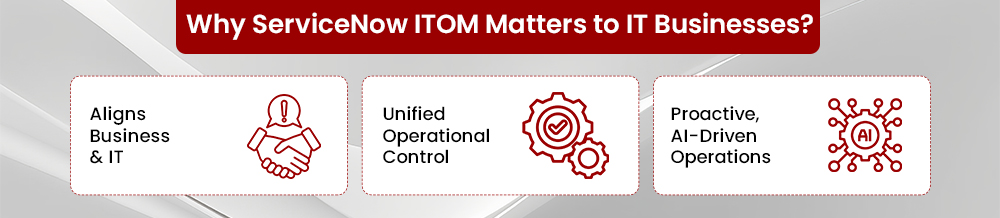
1. Aligns Business and IT
ServiceNow ITOM makes infrastructure service-aware by dynamically mapping CIs to the business services they support. This helps IT teams focus on operational issues that truly affect end-user experience or revenue.
- The CMDB auto-discovers infrastructure using agent-based, agentless (WMI, SSH, SNMP), and tag-based methods for cloud environments.
- This builds a live service topology, keeping relationships and dependencies continuously updated.
2. Unified Operational Control
With infrastructure spread across multiple clouds and tools, ServiceNow ITOM centralizes event data and normalizes it into a consistent format which creates a single operational view.
- MID servers and IntegrationHub spokes bring in telemetry from AWS, Azure, GCP, and third-party tools.
- Event normalization ensures consistency using a Common Event Format (CEF), making it easier to act on alerts.
A correlation rules engine reduces noise and groups related alerts.
- Custom logic (thresholds, AND/OR rules) helps consolidate events into meaningful incidents.
- Suppression rules eliminate repetitive alerts, improving signal-to-noise ratio.
3. Proactive, AI-Driven Operations
ServiceNow ITOM uses AI and machine learning to move operations from reactive to proactive, helping teams detect and resolve issues before they escalate.
- Anomaly detection uses clustering algorithms to flag unusual patterns in CPU, memory, or network behavior.
- Now Assist for ITOM suggests root causes and remediation steps using LLMs trained on your data.
Alerting is smarter with dynamic thresholds:
- Thresholds adjust based on usage trends, seasonality, and service context.
- For example, load spikes during sales events won’t trigger false alarms.
What are the Core Components of ServiceNow ITOM?
ServiceNow ITOM is composed of interlinked modules that provide unified visibility, automation, and intelligence across hybrid infrastructure. Below is a breakdown of key components with their functions and recent advancements integrated naturally into the descriptions.
1. Discovery and CMDB
Automates asset discovery across on-prem and cloud environments to maintain an accurate, up-to-date CMDB.
- Supports agent-based, agentless (WMI, SSH, SNMP), and tag-based discovery across AWS, Azure, GCP, and Kubernetes environments.
- Recent updates include enhanced container discovery, credential-less cloud scanning, and improved weekly auto-scheduling for consistent CI accuracy.
2. Service Mapping
Creates real-time visual maps that link infrastructure to business services, enabling impact analysis and better change planning.
- Uses traffic-based detection and reusable patterns to map dependencies.
- Recent improvements provide faster map rendering, support for ephemeral cloud-native services, and a simplified pattern designer.
3. Event Management
Consolidates alerts from multiple monitoring tools, filters noise and prioritizes relevant events for faster triage.
- Supports integration with tools like CloudWatch, Azure Monitor, and Prometheus via MID Server and Integration Hub.
- Now includes AI-driven alert grouping, dynamic suppression, and Now Assist for Event Management, a generative assistant that summarizes incident context and suggests next steps.
4. Operational Intelligence and AIOps
Applies machine learning to detect anomalies, predict outages, and accelerate root cause analysis.
- Uses unsupervised learning models like k-means and DBSCAN to detect performance anomalies.
- The latest version adds contextual root cause recommendations, proactive health scoring, and integration with Now Assist for human-readable explanations.
Also, read AIOps Guide: What Enterprises Need to Know
5. Orchestration and Automation
Delivers no-code workflows for automating repetitive IT tasks like patching, onboarding, or system restarts.
- It comes with prebuilt Integration Hub spokes for tools like Jenkins, Ansible, and Active Directory.
- Recent enhancements include governance-friendly subflows, flow templates, and improved support for multi-cloud orchestration.
Also, read AI Automation in ServiceNow Event Management
6. Cloud Management and Cost Optimization
Enables centralized control over cloud provisioning, policy enforcement, and cost visibility across providers.
- Offers self-service catalogs, automated lifecycle policies, and multi-cloud visibility dashboards.
- New features include FinOps-friendly chargeback reports, idle resource detection, and policy-based auto-remediation to reduce cloud waste.
7. Observability
Provides full-stack, AI-powered insights into system behavior and performance to support faster diagnosis.
- Integrates telemetry from Prometheus, OpenTelemetry, and custom agents.
- Recent advances include AI-powered Observability and Now Assist, which deliver visual RCA timelines and natural-language summaries of incidents.
8. Mobile Agent
Enables field teams and on-the-go IT staff to resolve incidents in real time via a mobile-first interface.
- Supports real-time alerts, QR code scanning, task completion, and SLA monitoring directly from mobile devices.
- The latest updates offer offline task execution, biometric login, and mobile playbooks for consistent field operations.
What are the Key Business Benefits of ServiceNow ITOM?
ServiceNow ITOM delivers measurable value by improving operational efficiency, service reliability, and decision-making across the enterprise. Below are the core benefits enterprises can expect:
1. Higher Productivity Through Automation
By minimizing outages and automating triage workflows, ServiceNow reduces the time spent on manual incident resolution. This leads to faster recovery and allows teams to focus on higher-value tasks.
2. Greater Operational Efficiency
Intelligent automation and integrated insights streamline infrastructure and service management processes, eliminating redundancies and optimizing resource usage across environments.
3. Improved Stakeholder Experience
Service health and status are made visible to employees, partners, and customers, enabling better communication, accountability, and trust during disruptions or planned changes.
4. Clear Visibility During Change
Whether during cloud migrations, business expansions, or M&A activity, ITOM ensures teams have a single source of truth for asset relationships and service dependencies.
4. Faster Root Cause Analysis with AI
ServiceNow ITOM accelerates MTTR by using contextual data and AI to suggest likely root causes and remediation steps to shorten investigation time and reduce downtime.
5. Accessible, Governance-ready Reporting
Real-time dashboards and audit-friendly data support better decision-making, compliance reporting, and operational governance across the enterprise.
Steps-by-Step Guide to Implement ServiceNow ITOM for IT Enterprises
A successful ServiceNow ITOM deployment requires a structured approach that aligns people, processes, and platforms. Below is a detailed, action-oriented guide to implementing ITOM1 in a phased and scalable way.
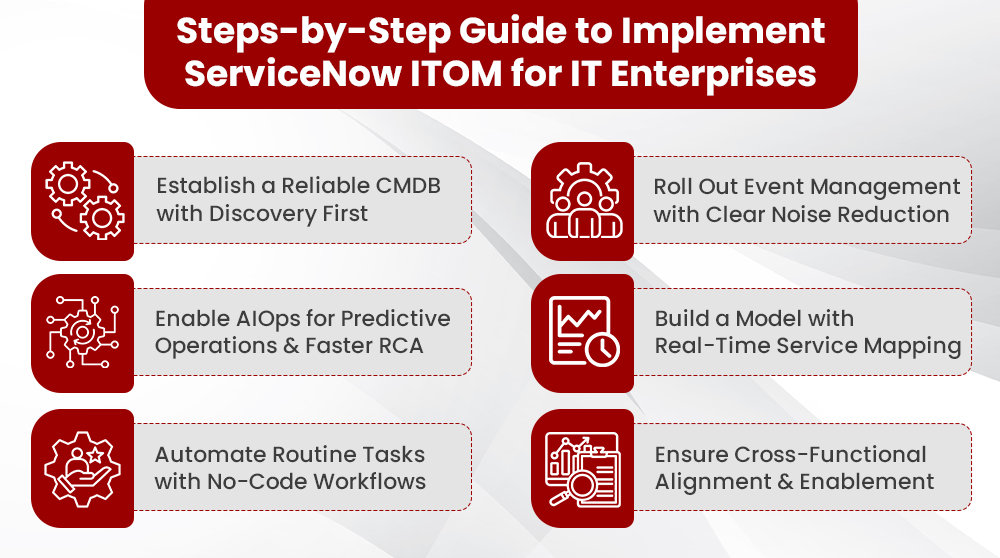
1. Establish a Reliable CMDB with Discovery First
To build a strong foundation, start by establishing a reliable and continuously updated CMDB. Here are the steps to execute:
- Define your CI classes and attributes based on service modeling needs (e.g., Application → Web Tier → VM → Network Interface).
- Configure horizontal discovery for servers, databases, and network devices using agentless protocols (WMI, SSH, SNMP).
- Implement tag-based discovery for cloud environments like AWS and Azure using resource tags and IAM roles.
- Enable container and Kubernetes discovery using integration with cluster metadata APIs or node agents.
- Use scheduled discovery (weekly or daily, based on asset volatility) to keep CIs fresh.
- Implement CI lifecycle rules to handle duplicates, orphaned records, and retired assets.
2. Roll Out Event Management with Clear Noise Reduction
With CMDB in place, you can now focus on improving operational visibility through effective event management. Follow these steps to get started:
- Set up MID Servers and IntegrationHub spokes to ingest telemetry from CloudWatch, Azure Monitor, AppDynamics, or custom tools.
- Normalize all incoming alerts to the Common Event Format (CEF) for consistency.
- Define correlation rules to group related alerts into actionable events using dependency data from the CMDB.
- Create suppression rules to mute repetitive alerts (e.g., during backups or patch windows).
- Route prioritized events to ITSM for incident creation.
3. Enable AIOps for Predictive Operations and Faster RCA
Next, add intelligence to your IT operations by enabling AIOps for faster detection and root cause analysis. The steps below will guide you through the process:
- Enable Operational Intelligence and ingest metrics (CPU, memory, disk, latency) from your existing monitoring stack.
- Use built-in clustering algorithms like DBSCAN to detect anomalies.
- Train the model using historical baseline data; at least 2–4 weeks of telemetry improves accuracy.
- Enable Service Health Scorecards to track degradation over time.
- Deploy Now Assist for ITOM to surface root cause suggestions, remediation playbooks, and relevant knowledge articles.
4. Build a Model with Real-Time Service Mapping
To better understand your IT environment, build a service-centric model using real-time service mapping. Here are the steps to implement this:
- Define critical business services (e.g., Online Ordering, Payroll, CRM) and map them to technical components.
- Use traffic-based mapping to auto-discover relationships between services and infrastructure.
- Create custom patterns for applications with unique architectures.
- Validate and manually fine-tune the map to reflect actual dependencies.
- Tie mapped services to SLAs and operational metrics.
5. Automate Routine Tasks with No-Code Workflows
Once visibility and intelligence are set, increase efficiency by automating repetitive tasks with no-code workflows. Follow these steps to automate:
- Identify 5–10 repetitive operational tasks (e.g., restart service, reset password, scale VM).
- Build Flow Designer subflows with approval logic, exception handling, and rollback mechanisms.
- Use IntegrationHub spokes for tools like Jenkins, Ansible, VMware, or AD.
- Set up triggers from event management or incident management to launch these flows automatically.
- Define guardrails and audit rules to maintain governance.
6. Ensure Cross-Functional Alignment and Enablement
Successful ITOM requires team alignment and enablement across multiple functions. Use the following steps to establish strong collaboration and adoption:
- Form a cross-functional ITOM COE (Center of Excellence) with leads from Infra, Cloud, App, SecOps, and Platform teams.
- Assign process owners for Discovery, Event Management, Automation, and AIOps.
- Conduct role-based training using real scenarios (e.g., “How to respond to a correlated alert”).
- Publish visual dashboards showing service health, CMDB coverage, and automation success rate.
- Establish a feedback loop to refine models, rules, and maps monthly.
Conclusion
ServiceNow ITOM empowers enterprises to enable a unified, intelligent, and automated approach to managing IT operations. By integrating discovery, service mapping, event management, AIOps, and automation into a single platform, it ensures IT teams can proactively prevent issues, reduce downtime, and align operations with business objectives. More than just a technical solution, ITOM acts as a bridge between infrastructure and impact which helps IT businesses gain real-time visibility, improve service health, and scale operational excellence across hybrid and multi-cloud environments.
From discovery to automation in ITOM, inMorphis offers a proven roadmap that drives agility, resilience, and measurable outcomes for your enterprise. Contact us today and experience the difference.
